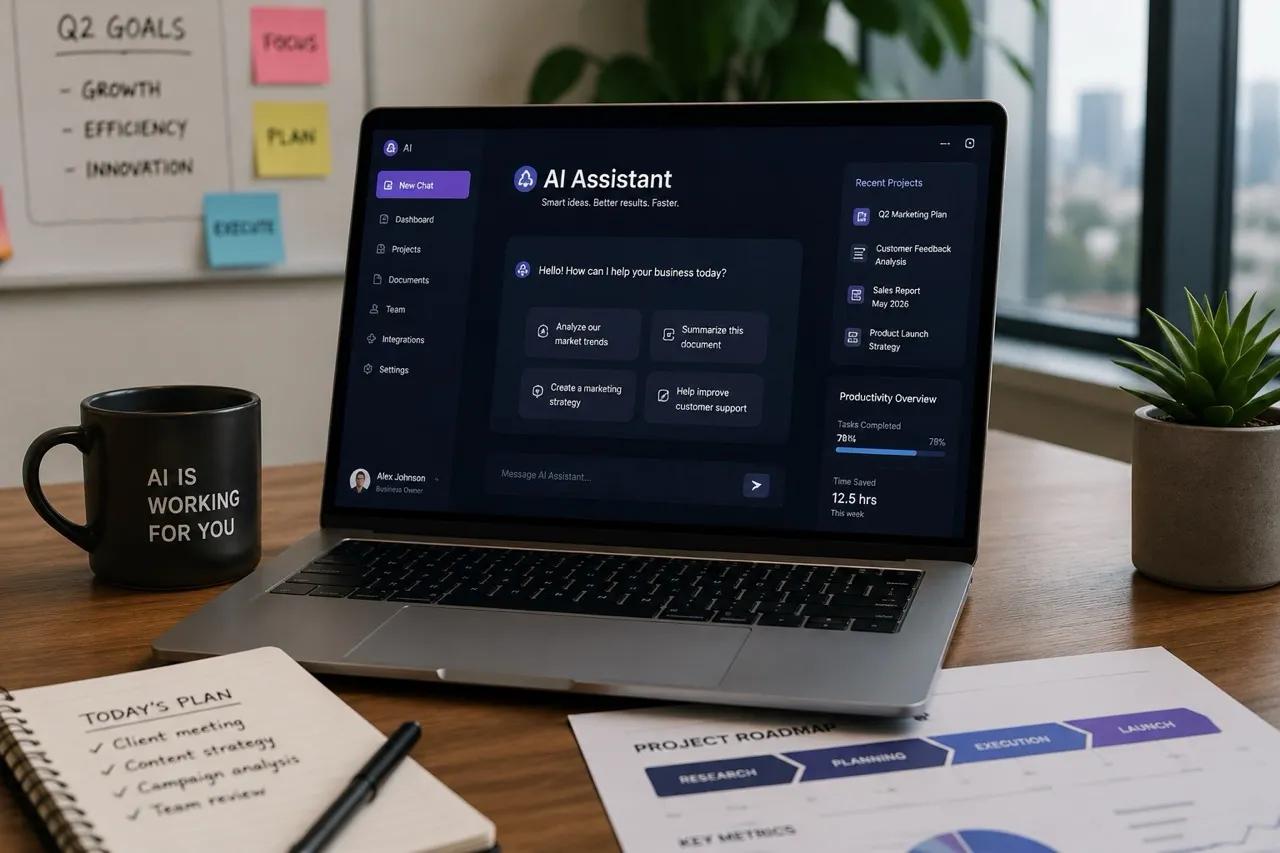
AI Agent Tools for Daily Work are changing how people manage tasks, organize information, conduct research, communicate with customers, and complete repetitive activities. Unlike traditional software that follows simple commands, AI agents can often understand goals, plan multiple steps, use connected tools, and help complete tasks with less manual effort. In 2026, these technologies are becoming increasingly useful for freelancers, students, small businesses, content creators, and remote workers who want to improve productivity without increasing their workload.
However, choosing the right AI agent is not always easy. Some tools are excellent at research, while others are better at automation, writing, scheduling, or connecting different applications. Privacy concerns, inaccurate results, unexpected actions, and subscription costs are also important considerations. Understanding these benefits and limitations can help users select AI Agent Tools for Daily Work that genuinely support their goals.
Table of Contents
- What Are AI Agent Tools for Daily Work?
- Eight Powerful AI Agent Tools for Daily Work
- Benefits of AI Agent Tools for Daily Work
- Hidden Risks of AI Agent Tools for Daily Work
- Comparison Table of AI Agent Tools for Daily Work
- How to Choose AI Agent Tools for Daily Work
- Future of AI Agent Tools for Daily Work
- Conclusion
What Are AI Agent Tools for Daily Work?
AI agents are software systems that use artificial intelligence to work toward a specific goal. Depending on their design and permissions, they may break a request into smaller tasks, search for information, draft documents, interact with applications, or perform actions through connected services.

For example, a traditional writing assistant might suggest a paragraph when asked. An AI agent could potentially research a topic, organize the findings, prepare a draft, and create a checklist for reviewing it. The exact abilities depend on the product, available integrations, and user permissions.
AI Agent Tools for Daily Work are especially valuable when a task involves several connected steps. Nevertheless, they do not guarantee accurate information or completely independent work. Human review remains essential for important decisions and external actions.
Eight Powerful AI Agent Tools for Daily Work
1. ChatGPT for Daily Research and Productivity
ChatGPT can help users brainstorm ideas, explain complicated subjects, summarize provided information, draft articles, organize projects, and work through multi-step tasks. Depending on the plan and enabled features, it can also work with files, use connected tools, and help produce structured deliverables.
For content creators, it can support keyword brainstorming, article outlines, introductions, descriptions, and editorial planning. Students can use it to understand difficult concepts and practise solving problems.
Why ChatGPT Is Useful Among AI Agent Tools for Daily Work
Its flexibility makes it suitable for many different tasks without requiring a separate application for every activity. Users should still fact-check research, review generated content, and avoid sharing sensitive information unnecessarily.
2. Zapier for Workflow Automation
Zapier connects compatible applications through automated workflows. For example, a business might configure a workflow to send a notification when a form is submitted or create a task when a new record appears in a connected service.
Its automation capabilities can reduce repetitive copying and pasting. Some available features also support AI-powered workflows and agents, depending on the current plan.
How Zapier AI Agent Tools for Daily Work Save Time
The main advantage is consistency. Once an appropriate workflow is configured, it can perform recurring steps according to its rules. However, poorly configured automations may send incorrect information or trigger unwanted actions, so testing and monitoring are important.

3. Microsoft Copilot for Office Productivity
Microsoft Copilot can assist with tasks across supported Microsoft applications and services. Depending on the product and subscription, users may receive help drafting documents, summarizing meetings, analyzing information, or preparing presentations.
It is particularly relevant to professionals who already use Microsoft 365 for daily work.
Microsoft Copilot for Daily Work and Business Tasks
Its value comes from working within an existing productivity environment. Availability and capabilities differ across applications, accounts, and plans. Users should review sharing permissions and organizational data policies before enabling connected features.
4. Google Gemini for Research and Workspace Tasks
Google Gemini can assist with brainstorming, writing, summarization, explanation, and other information-based tasks. Certain versions and plans offer integrations with supported Google services.
Students, freelancers, and teams already using Google’s ecosystem may find it convenient for their everyday workflows.
Google Gemini as One of the AI Agent Tools for Daily Work
Gemini can help turn rough notes into organized material and support the preparation of emails, plans, and summaries. Users should verify factual claims and check which integrations are enabled before relying on it for sensitive work.
5. Claude for Writing and Document Analysis
Claude is an AI assistant that can help draft, revise, analyze, and organize text. It can be useful when a task involves long documents, structured writing, comparing information, or refining a detailed explanation.
For researchers and content creators, it may support the process of turning extensive notes into a coherent draft.
Claude for Complex Daily Work
Claude’s usefulness depends on the model, available tools, and task requirements. It should not be treated as a substitute for original sources, expert review, or human judgment, especially when the output contains technical or factual claims.
6. Perplexity for AI-Assisted Research
Perplexity is designed around answering questions with web-based research and source references. It can help users discover relevant pages, explore unfamiliar subjects, and identify material for further reading.
This can be useful when preparing an article, researching a product category, or investigating a new technology.
Perplexity AI Agent Tools for Daily Work
Its research-oriented approach can make source discovery easier, but citations do not automatically guarantee that every statement is correct. Open the original sources, check publication dates, and compare important claims before using the findings.
7. Notion AI for Notes and Project Organization
Notion combines workspace and project-management features, while its AI capabilities can assist with writing, summarizing, and organizing information. Depending on available features, it can help users turn scattered notes into more structured documents and plans.
It may be useful for freelancers maintaining content calendars, students organizing study notes, and teams tracking project information.
Organizing Projects with Notion AI
The biggest benefit is keeping related information together. However, a well-organized workspace still requires accurate records, sensible access controls, and regular updates. AI-generated summaries should be checked against the original notes.
8. n8n for Custom AI Workflows
n8n is a workflow automation platform that supports integrations and configurable AI workflows. It can be useful for technically confident users who want to connect services, process data, or build customized automations.
For example, a user might design a workflow that receives a form submission, processes its contents, and creates a review task in another application.
Custom AI Agent Tools for Daily Work with n8n
Its flexibility is attractive to developers and small businesses, but advanced workflows may require technical knowledge, testing, and maintenance. Credentials must be stored securely, and every automated action should have appropriate safeguards.
Benefits of AI Agent Tools for Daily Work
Saving Time on Repetitive Tasks
One of the clearest benefits of AI Agent Tools for Daily Work is reducing the manual effort required for routine activities. Drafting a first version of an email, categorizing information, preparing meeting summaries, and transferring data between applications can sometimes be automated or accelerated.
The amount of time saved depends on task complexity, the quality of the setup, and the amount of human review required.
Improving Productivity and Focus
AI agents can help users move from one task to the next by organizing information and suggesting practical steps. Rather than spending a long time arranging notes, a user may be able to start with a structured outline and focus on improving the final result.
Supporting Small Businesses and Freelancers
Small businesses often have limited staff and budgets. AI-assisted tools can support customer-service drafts, content planning, internal documentation, and routine administrative work. Freelancers may use them to organize projects and prepare early drafts.
These tools are most effective when they support a clear process instead of adding unnecessary complexity.
Making Information Easier to Manage
Research assistants and document tools can help users find, summarize, and organize large amounts of information. This can make unfamiliar topics easier to explore, although important conclusions must still be checked against reliable sources.
Hidden Risks of AI Agent Tools for Daily Work
Inaccurate Information and Hallucinations
AI tools can generate convincing but incorrect answers, misunderstand instructions, or misinterpret source material. An agent that carries an error through several steps can make the problem harder to notice.
Users should verify important facts, inspect original sources, and review outputs before publishing or sharing them.
Privacy and Data Security
Connected tools may receive access to documents, messages, files, or business systems. Excessive permissions can expose more information than necessary.
Before connecting an AI agent, review its privacy terms, access permissions, retention settings, and organizational policies. Use the minimum permissions required for the task.
Unintended Automated Actions
An automation can send the wrong email, update an incorrect record, or repeat an action unexpectedly. These problems become more serious when an agent can access external accounts or modify important data.
Use approval steps for sensitive actions, test workflows with sample information, and maintain logs where appropriate.
Subscription Costs and Overdependence
Paid plans, usage limits, integrations, and maintenance can make AI workflows more expensive than expected. Users may also become overly dependent on generated answers and lose opportunities to develop their own skills.
A practical approach is to start with one low-risk task, measure its actual benefit, and expand only when the results justify the cost.
Comparison Table of AI Agent Tools for Daily Work
The following table compares common use cases rather than ranking every product feature. Exact capabilities, pricing, and integrations may change by plan and over time.
| Tool | Main Use | Best Fit | Important Limitation |
|---|---|---|---|
| ChatGPT | Research and general tasks | Students and creators | Requires fact-checking |
| Zapier | Connecting applications | Small businesses | Workflow errors need monitoring |
| Microsoft Copilot | Office productivity | Microsoft 365 users | Features vary by plan |
| Google Gemini | Writing and Google workflows | Google users | Integrations vary |
| Claude | Long-form writing and analysis | Writers and researchers | Outputs need review |
| Perplexity | Web research and sources | Researchers and bloggers | Sources need verification |
| Notion AI | Notes and project organization | Teams and freelancers | Workspace quality matters |
| n8n | Custom automation | Technical users | Setup and maintenance can be complex |
Graph: Illustrative Daily Time-Saving Potential
The graph below uses hypothetical estimates to show how much time a person might save on selected recurring tasks. These figures are examples, not measured results or guarantees for any specific tool.
| Daily Task | Illustrative Time Saved |
|---|---|
| Drafting routine emails | 15 minutes |
| Summarizing documents | 20 minutes |
| Organizing project notes | 10 minutes |
| Connecting repetitive workflows | 25 minutes |
| Preparing research outlines | 20 minutes |
These estimates add up to 90 minutes across the example tasks, but the activities may not occur every day and the savings can overlap. Actual results depend on workload, accuracy, setup time, and review requirements.
How to Choose AI Agent Tools for Daily Work
Identify Your Most Repetitive Task
Start by identifying a task that consumes time every week. This might be preparing article outlines, organizing research, summarizing meetings, or moving information between applications. A clear objective makes it easier to determine whether an AI tool is useful.
Check Compatibility and Permissions
Choose tools that work with your existing applications. Review integration requirements and ensure that the agent receives only the access it needs. For business data, follow your organization’s security and compliance policies.
Test Accuracy Before Scaling
Try the tool with a small, low-risk task. Compare its output with your normal process and check whether the time saved is greater than the time spent correcting mistakes.
A Practical Evaluation Method for AI Agent Tools for Daily Work
Evaluate each tool using three criteria: time saved, output quality, and risk. A tool that saves ten minutes but creates twenty minutes of corrections is not an effective solution. Keep the workflow only when it produces a clear net benefit.
Future of AI Agent Tools for Daily Work
AI agents are likely to become more integrated with everyday software, making it easier to coordinate information across multiple applications. Future systems may offer more personalized workflows, improved planning, and better ways to supervise multi-step tasks.
However, greater autonomy also increases the importance of reliable permissions, transparent actions, secure integrations, and human approval for high-impact decisions. Businesses will need to evaluate not only what an agent can do but also how reliably and safely it performs.
For individuals and small teams, the best strategy is to learn one useful workflow at a time. Understanding the underlying process will remain valuable even as individual tools change.
Conclusion
AI Agent Tools for Daily Work can help people research topics, organize projects, prepare documents, and automate repetitive activities. ChatGPT, Zapier, Microsoft Copilot, Google Gemini, Claude, Perplexity, Notion AI, and n8n serve different needs, so the right choice depends on a user’s workflow, budget, technical skills, and security requirements.
The most effective approach is not to automate everything. Begin with a clearly defined task, test the results, protect sensitive information, and keep human review where accuracy matters. With thoughtful use, AI agents can become practical productivity assistants while their hidden risks remain manageable.