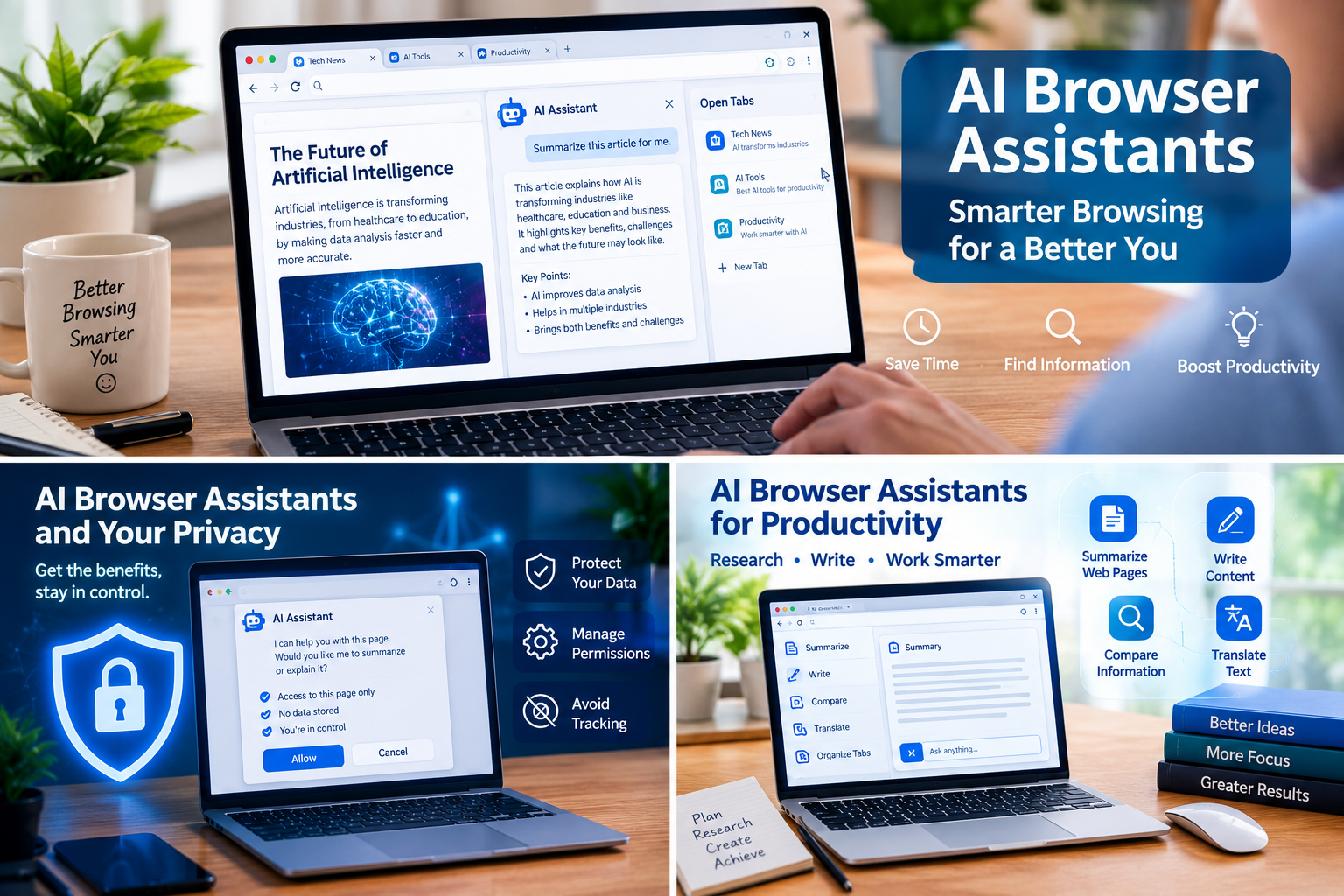
Introduction to AI Browser Assistants
AI Browser Assistants are changing how people search the internet, research information, summarize web pages, and complete everyday online tasks. Instead of manually opening dozens of tabs and copying information between websites, users can rely on AI-powered tools to organize information, answer questions, and assist with repetitive activities. These tools can save time, improve productivity, and make browsing more convenient.
Some AI browser assistants work through a browser sidebar or extension, while others can interact with websites and complete multiple steps when given permission. Their capabilities vary, so it is important to understand what a particular tool can actually do before using it.
However, AI browser assistants also introduce challenges. They may misunderstand instructions, provide inaccurate answers, or expose sensitive information if granted excessive access. Choosing reliable tools and reviewing their actions can help users enjoy the benefits while avoiding unnecessary risks.
How AI Browser Assistants Improve Productivity
Traditional browsing often requires users to perform each step manually. They search for information, open pages, compare details, write notes, and repeat the process across multiple websites. AI browser assistants can simplify parts of this workflow by helping users understand page content and organize their research.
For example, a student can ask an assistant to summarize a long educational article. A writer can request an outline based on several sources. A professional can compare information from multiple web pages without repeatedly switching between them.
The greatest benefit comes when users give clear instructions and verify the results. AI assistance can reduce repetitive work, but it does not eliminate the need for judgment, fact-checking, or careful decision-making.

AI Browser Assistants for Faster Research
AI browser assistants can help identify important points in lengthy pages, explain unfamiliar terms, and organize findings into readable summaries. Some tools can also use information from open tabs to provide context-aware answers.
This is particularly useful when researching technology, preparing assignments, comparing services, or planning a project. Nevertheless, users should check important facts against original sources because summaries can omit context or misinterpret information.
Seven Powerful Benefits of AI Browser Assistants
1. AI Browser Assistants Save Time
One major advantage of AI browser assistants is their ability to reduce repetitive browsing. Instead of manually extracting the same types of details from several pages, users can ask an assistant to summarize or compare the information.
This can make everyday research more efficient. However, the actual time saved depends on the task, the assistant’s capabilities, and how much correction its output requires.
2. AI Browser Assistants Simplify Online Research
Research often involves reading several articles, comparing claims, and identifying useful evidence. AI browser assistants can help organize these activities by summarizing sources and highlighting similarities or differences.
A useful approach is to request a summary that includes source links and uncertainties. Users should then open the original sources to confirm the most important claims instead of relying exclusively on AI-generated explanations.
3. AI Browser Assistants Support Writing
Writers can use AI browser assistants to brainstorm headlines, create outlines, improve grammar, and summarize background research. These features may help bloggers, students, and professionals develop ideas more efficiently.
For SEO writers, an assistant can also help organize a topic into relevant subheadings and suggest related search phrases. However, original analysis, accurate facts, and natural writing remain essential for creating valuable content.
4. AI Browser Assistants Help Compare Information
Comparing products, services, policies, or research findings can require considerable effort. Some AI browser assistants can extract relevant details from multiple pages and present them in a more organized format.
Users should still confirm specifications, prices, dates, and terms on the original websites. An assistant might overlook a condition or compare information that is not genuinely equivalent.
5. AI Browser Assistants Organize Browser Tabs
Many people keep numerous browser tabs open while studying or working. AI-supported browsing features may help group related tabs, summarize open pages, or maintain context across a research session.

These features can reduce clutter and make it easier to return to unfinished work. Their availability depends on the browser and its installed features.
6. AI Browser Assistants Automate Repetitive Tasks
Some advanced AI browser assistants can perform multi-step actions, such as navigating websites, filling forms, gathering information, or preparing online bookings. For instance, Google’s Chrome documentation describes an auto-browse feature that can assist with certain multi-step tasks for eligible users.
Automation can be helpful, but users should review the plan and confirm sensitive actions. A browser agent may click the wrong control, misunderstand a website, or act on misleading page instructions.
7. AI Browser Assistants Improve Accessibility
AI browser assistants can explain complicated language, summarize long content, and help users navigate unfamiliar information. These capabilities may make online material easier to understand for people with different reading levels or learning preferences.
They can also help translate or rephrase content when supported by the tool. However, users should verify translations and technical explanations when precision matters.
Popular AI Browser Assistants and Their Features
Several products provide AI assistance within browsers or connect AI agents to browser activity. Their features, availability, pricing, and privacy controls differ.
Opera offers integrated AI features for asking questions about web pages and working with content in a browser sidebar. Microsoft Edge provides Copilot-related browsing assistance, while Google Chrome offers Gemini features for eligible users. Other AI-enabled browsers and extensions focus on research, summaries, or automated browsing.
Before choosing a product, check its current official documentation. Some advanced capabilities are restricted by country, account type, subscription, device, or gradual rollout.
AI Browser Assistants for Different Users
Students may benefit most from summarization and explanations. Bloggers may prefer research and writing support. Professionals may value tab organization and task automation, while privacy-conscious users may prioritize clear permission settings and transparent data policies.
There is no single best assistant for everyone. The right choice depends on the tasks you perform most frequently and the amount of access you are comfortable granting.
AI Browser Assistants for Research and Writing
AI browser assistants can be useful throughout the research and writing process. A user might collect background information, identify related questions, compare sources, and prepare an initial outline with assistance from AI.
For example, a technology blogger researching browser automation could ask an assistant to identify common use cases, list possible limitations, and suggest questions readers might ask. The writer should then verify the claims, add original insights, and cite reliable sources where appropriate.
Three Related Picture Ideas for AI Browser Assistants
Pick 1: AI Browser Assistants for Smart Research
Image prompt: Create a realistic modern computer screen showing an AI browser assistant summarizing several open research tabs. Include a clean browser interface, article previews, highlighted notes, and a professional workspace. Use a polished technology-editorial style.
Alt text: AI browser assistants helping users research information online.
Pick 2: AI Browser Assistants for Productivity
Image prompt: Create a realistic laptop displaying an AI browser sidebar beside multiple organized browser tabs. Show a digital workspace with a checklist, research notes, and summarized web content. Use a modern blue-and-white technology aesthetic with readable visual hierarchy.
Alt text: AI browser assistants improving browsing productivity.
Pick 3: AI Browser Assistants and Online Safety
Image prompt: Create a professional cybersecurity illustration of a browser window with an AI assistant, a privacy shield, permission controls, and a human reviewing an action before approval. Use realistic interface details and a clean, trustworthy editorial style.
Alt text: AI browser assistants with privacy and security controls.
AI Browser Assistants for Online Tasks
Advanced AI browser assistants can go beyond answering questions. Depending on the product, they may navigate pages, collect details, interact with forms, or help complete multi-step workflows.
For example, a user might request a comparison of several travel options or ask an assistant to gather appointment information. Before any final submission, purchase, or booking, the user should review the details and approve the action where required.
Limitations of AI Browser Assistants
Automation is not always reliable. Websites can change their layouts, display unexpected pop-ups, or require verification steps. AI systems may misunderstand page content or fail to complete a task correctly.
Treat automated results as work that needs review rather than assuming every task has been completed successfully.
Privacy Risks of AI Browser Assistants
AI browser assistants may process web-page content, browsing context, prompts, or other information needed to perform a task. The exact data collected depends on the product, its settings, and whether it uses cloud-based services.
Giving an assistant access to signed-in websites can create additional risks because those sites may contain personal messages, account details, or confidential documents.
How AI Browser Assistants Can Create Security Risks
A malicious webpage may contain instructions designed to manipulate an AI agent. This type of attack is commonly called prompt injection. If an assistant follows untrusted instructions, it could attempt unintended actions or expose information it can access.
Users should avoid granting broad permissions unnecessarily, inspect the assistant’s plan, and keep sensitive tasks under direct human supervision. Never assume that an AI feature is completely secure simply because it is integrated into a familiar browser.
How to Use AI Browser Assistants Safely
Follow these practical safety principles when using AI browser assistants:
- Review permissions: Allow access only to the websites and information required for a task.
- Verify important claims: Check factual answers against reliable original sources.
- Protect confidential information: Avoid sharing passwords, payment details, or sensitive records unless a trusted service explicitly requires appropriate access.
- Approve sensitive actions: Review messages, purchases, bookings, and form submissions before they are finalized.
- Keep software updated: Install browser and extension updates from official sources.
- Monitor automated tasks: Stop the assistant if it behaves unexpectedly or moves outside the requested task.
These steps do not eliminate every risk, but they help users maintain control over their browsing activities.
Comparison Table of AI Browser Assistants
The following table compares broad categories of browser AI tools. It is a practical guide rather than a performance ranking.
| Assistant type | Main benefit | Main limitation | Best use |
|---|---|---|---|
| Browser sidebar AI | Quick answers and summaries | May have limited task automation | Everyday browsing |
| AI research assistant | Organizes information from sources | Can miss context or evidence | Research and learning |
| AI browser agent | Can perform multi-step website actions | Requires careful supervision | Repetitive online workflows |
| Writing-focused browser AI | Helps draft and rewrite text | Output may need substantial editing | Blogging and writing |
| Privacy-focused browser AI | May provide clearer data controls | Features and processing vary | Privacy-conscious browsing |
Graph: AI Browser Assistants and Productivity
To compare the usefulness of AI browser assistants, a simple graph can show the time required to complete the same research task manually and with AI assistance. The values below are illustrative only, not measured research results.
| Research workflow | Illustrative time |
|---|---|
| Manual research | 60 minutes |
| AI-assisted research | 40 minutes |
These example values suggest a possible reduction of 20 minutes in this hypothetical task. Actual results will vary, and AI assistance may save less time—or take longer—when the task requires detailed verification or corrections.
The Future of AI Browser Assistants
AI browser assistants are moving toward more contextual and action-oriented browsing. Instead of simply answering questions, some systems can use page context, work across tabs, and assist with longer workflows.
Future improvements may make research more convenient, browser interfaces more accessible, and repetitive work easier to automate. At the same time, privacy, prompt injection, incorrect actions, and user consent will remain important challenges.
The most useful systems will need to balance capability with transparency and meaningful user control.
Conclusion: AI Browser Assistants Save Time and Require Care
AI browser assistants can make online research, writing, information comparison, and routine browsing more efficient. Their benefits are especially clear when they reduce repetitive tasks and help users understand complex information.
However, they are not perfect replacements for human judgment. Incorrect answers, excessive permissions, and unsafe automation can create real problems. Choose an assistant that fits your needs, verify important results, and review sensitive actions before approving them.
Used carefully, AI browser assistants can become valuable tools for a smarter and more productive browsing experience.